Why Is My Wireless Charger So Slow? A 10-Step Fix List

Wireless charging that's crawling is almost never a broken charger. It's usually one of nine things, and the first three account for most cases. Work down the list — it's ordered by how little effort each check takes.
Start here: what's your actual ceiling?
Before diagnosing, know what "fast" should look like for you, or you'll chase a problem that isn't there.
iPhone 16 / 16 Pro: up to 22.5W over MagSafe
iPhone 16 Plus / 16 Pro Max, iPhone 17 / 17 Pro / 17 Pro Max: up to 25W
iPhone Air: up to 20W
iPhone 12–15: up to 15W over MagSafe
Any iPhone on a non-magnetic Qi pad: typically 7.5W
Most Android on Qi: up to 15W
Two things follow from that list. A standard Qi pad charging an iPhone at 7.5W isn't malfunctioning — that's the standard. And hitting the higher numbers requires both a charger rated for it and enough power going in.
1. Your power adapter is too small
This is the single most common cause, by a wide margin.
Every wireless charger has a minimum input requirement — commonly 9V/3A, sometimes higher. Apple's guidance for peak MagSafe power is an adapter rated at or above 15V/2.0A. Feed a charger less than it needs and it quietly delivers less, with no error message.
The usual culprits: the little 5W cube that came with an old iPhone, a hotel nightstand USB port, a car USB-A socket, a monitor's downstream port, or an unpowered hub. Any of these will make a perfectly good charger look broken.
Check: find the fine print on your adapter. If it doesn't list a profile at or above what your charger requires, that's your answer.
2. Your cable is the bottleneck
A cable that can't carry the current caps everything downstream of it.
USB-A to USB-C is the frequent offender — many USB-A ports and cables can't negotiate the higher-power profiles at all. Very long cables and cheap unbranded ones also lose capacity. If your charger came with a captive cable, this one's off the list.
Check: swap in a known-good USB-C to USB-C cable from a device that charges fast.
3. The phone is too warm
Charging speed is thermally managed. When the phone gets warm, iOS deliberately throttles power to protect the battery — and inductive charging generates heat as a matter of physics, so it's already warmer than a cable.
Things that push it over: direct sunlight, charging on a bed or sofa where the back can't shed heat, a thick or insulating case, and using the phone while it charges — navigation, video calls, and gaming especially.
Check: if the back is noticeably warm, move it somewhere cooler, take the case off, and stop using it. Speed should recover within minutes.
4. It's not aligned
On any non-magnetic Qi pad, the coils have to line up. Being off by a few millimetres drops efficiency sharply, and a phone that gets nudged during the night can charge at a trickle for hours.
Check: move the phone in small increments and watch for the charging chime. Magnetic chargers solve this by design — the alignment is mechanical, not a guess.
5. Something's between the coils
Every millimetre of material between the charger and the phone costs power. Thick cases, metal plates for car mounts, credit cards, cash in a MagSafe wallet, and grip rings all interfere. Metal ones can prevent charging outright, and some chargers halt entirely on foreign-object detection.
Check: charge with a bare phone once as a baseline. If it's dramatically faster, the case or an accessory is the problem.
6. You plugged in the wrong order
Non-obvious, and straight from Apple: plug the charger into power before placing the phone on it. That sequence lets the system verify it can safely deliver maximum power. Get it backwards and you may be capped for the whole session.
Check: lift the phone off, wait three seconds, put it back.
7. It's paused on purpose
Optimized Battery Charging holds at 80% and finishes just before your usual wake time — by design, overnight. If you've set a charge limit (80%, 85%, 90%), the phone stops there and stays.
Check: Settings › Battery › Charging.
8. You're watching the slow part
Charging isn't linear. Phones pull hard up to roughly 80%, then taper deliberately to protect the cell. The last 20% is always slow, everywhere, on every charger. If you're judging speed by watching 85% → 100%, you're measuring the part that's supposed to crawl.
Check: compare 0–50% times instead.
9. The battery is aged
Batteries lose capacity and their charging behaviour changes with cycle count. A phone a few years in charges differently than it did new.
Check: Settings › Battery › Battery Health & Charging. Meaningfully degraded capacity explains a lot.
If none of that fixes it
Test the same charger with a different phone, or your phone on a different charger. That isolates which side has the fault in one step, and it's what any support team will ask you to do first anyway.
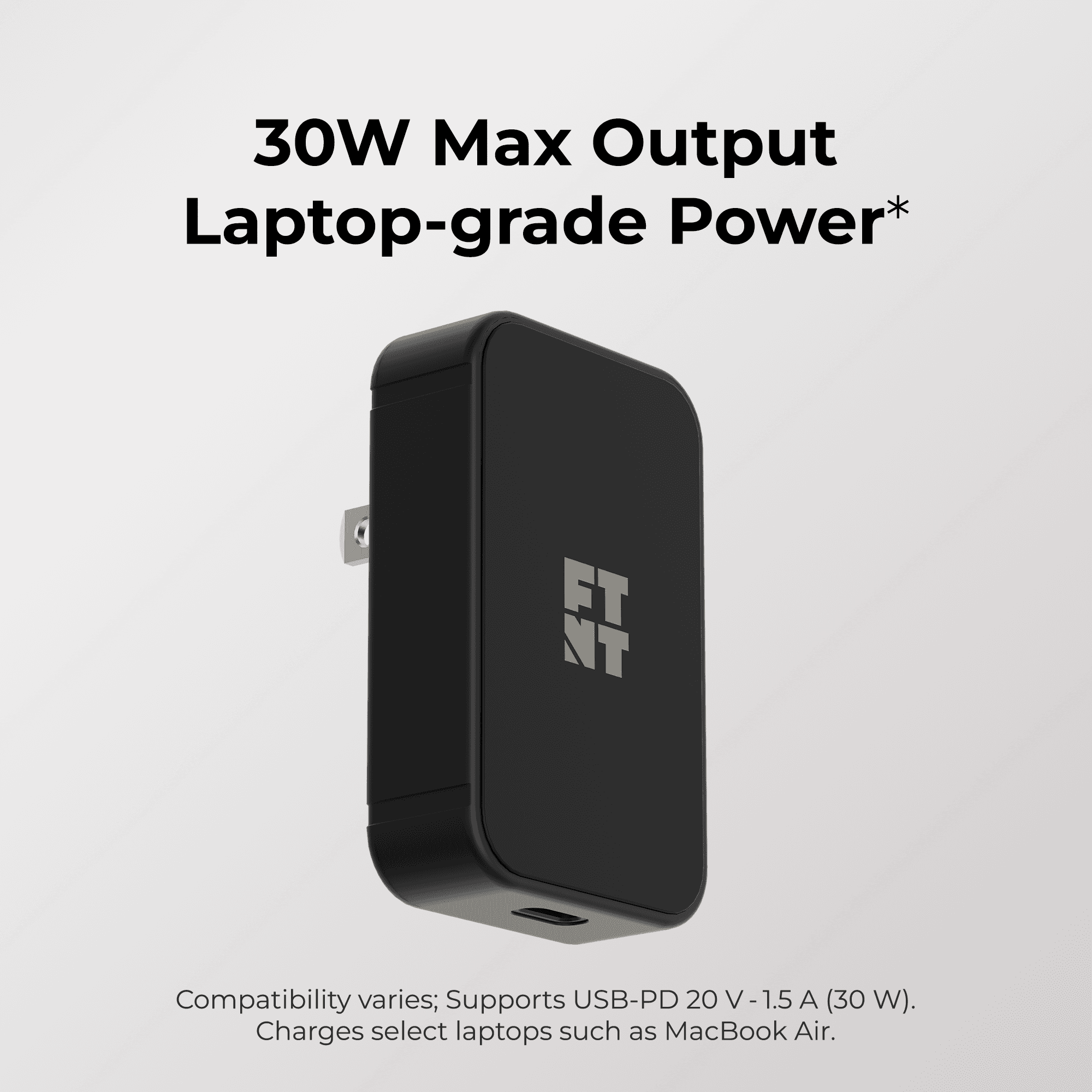
Most of the time it's step 1. Our 30W GaN adapter supplies enough headroom for MagSafe and Qi chargers to run at their rated output, in a footprint smaller than the brick most people are still using.
Wireless charging that's crawling is almost never a broken charger. It's usually one of nine things, and the first three account for most cases. Work down the list — it's ordered by how little effort each check takes.
Start here: what's your actual ceiling?
Before diagnosing, know what "fast" should look like for you, or you'll chase a problem that isn't there.
iPhone 16 / 16 Pro: up to 22.5W over MagSafe
iPhone 16 Plus / 16 Pro Max, iPhone 17 / 17 Pro / 17 Pro Max: up to 25W
iPhone Air: up to 20W
iPhone 12–15: up to 15W over MagSafe
Any iPhone on a non-magnetic Qi pad: typically 7.5W
Most Android on Qi: up to 15W
Two things follow from that list. A standard Qi pad charging an iPhone at 7.5W isn't malfunctioning — that's the standard. And hitting the higher numbers requires both a charger rated for it and enough power going in.
1. Your power adapter is too small
This is the single most common cause, by a wide margin.
Every wireless charger has a minimum input requirement — commonly 9V/3A, sometimes higher. Apple's guidance for peak MagSafe power is an adapter rated at or above 15V/2.0A. Feed a charger less than it needs and it quietly delivers less, with no error message.
The usual culprits: the little 5W cube that came with an old iPhone, a hotel nightstand USB port, a car USB-A socket, a monitor's downstream port, or an unpowered hub. Any of these will make a perfectly good charger look broken.
Check: find the fine print on your adapter. If it doesn't list a profile at or above what your charger requires, that's your answer.
2. Your cable is the bottleneck
A cable that can't carry the current caps everything downstream of it.
USB-A to USB-C is the frequent offender — many USB-A ports and cables can't negotiate the higher-power profiles at all. Very long cables and cheap unbranded ones also lose capacity. If your charger came with a captive cable, this one's off the list.
Check: swap in a known-good USB-C to USB-C cable from a device that charges fast.
3. The phone is too warm
Charging speed is thermally managed. When the phone gets warm, iOS deliberately throttles power to protect the battery — and inductive charging generates heat as a matter of physics, so it's already warmer than a cable.
Things that push it over: direct sunlight, charging on a bed or sofa where the back can't shed heat, a thick or insulating case, and using the phone while it charges — navigation, video calls, and gaming especially.
Check: if the back is noticeably warm, move it somewhere cooler, take the case off, and stop using it. Speed should recover within minutes.
4. It's not aligned
On any non-magnetic Qi pad, the coils have to line up. Being off by a few millimetres drops efficiency sharply, and a phone that gets nudged during the night can charge at a trickle for hours.
Check: move the phone in small increments and watch for the charging chime. Magnetic chargers solve this by design — the alignment is mechanical, not a guess.
5. Something's between the coils
Every millimetre of material between the charger and the phone costs power. Thick cases, metal plates for car mounts, credit cards, cash in a MagSafe wallet, and grip rings all interfere. Metal ones can prevent charging outright, and some chargers halt entirely on foreign-object detection.
Check: charge with a bare phone once as a baseline. If it's dramatically faster, the case or an accessory is the problem.
6. You plugged in the wrong order
Non-obvious, and straight from Apple: plug the charger into power before placing the phone on it. That sequence lets the system verify it can safely deliver maximum power. Get it backwards and you may be capped for the whole session.
Check: lift the phone off, wait three seconds, put it back.
7. It's paused on purpose
Optimized Battery Charging holds at 80% and finishes just before your usual wake time — by design, overnight. If you've set a charge limit (80%, 85%, 90%), the phone stops there and stays.
Check: Settings › Battery › Charging.
8. You're watching the slow part
Charging isn't linear. Phones pull hard up to roughly 80%, then taper deliberately to protect the cell. The last 20% is always slow, everywhere, on every charger. If you're judging speed by watching 85% → 100%, you're measuring the part that's supposed to crawl.
Check: compare 0–50% times instead.
9. The battery is aged
Batteries lose capacity and their charging behaviour changes with cycle count. A phone a few years in charges differently than it did new.
Check: Settings › Battery › Battery Health & Charging. Meaningfully degraded capacity explains a lot.
If none of that fixes it
Test the same charger with a different phone, or your phone on a different charger. That isolates which side has the fault in one step, and it's what any support team will ask you to do first anyway.
Most of the time it's step 1. Our 30W GaN adapter supplies enough headroom for MagSafe and Qi chargers to run at their rated output, in a footprint smaller than the brick most people are still using.
Related Articles
Check out our full product line
Check out our full product line

🇨🇦 A Canadian Company
© 2026 Futura Gear Inc. FTNT, the illustrated FTNT logo, and Footnote Accessories Co. are trademarks of Futura Gear Inc. All rights reserved.
© 2026 Futura Gear Inc. FTNT, the illustrated FTNT logo, and Footnote Accessories Co. are trademarks of Futura Gear Inc. All rights reserved.
🇨🇦 A Canadian Company