Why Your MagSafe Stand Stopped Holding Your Phone

If your phone has started creeping down its stand, tipping forward when you tap it, or coming off in your hand along with the charging head — it's one of five things. Four are predictable from the design before you buy.
1. The adhesive joint let go. Specifically: adhesive in the load path — the bond holding the charging head to the arm, or the arm to the base. Wireless charging produces heat exactly where that joint sits, and adhesive doesn't fail all at once. It creeps, the head tilts a few degrees, then it separates.
2. The magnet array was always marginal. Magnets don't weaken from charging heat — that threshold is far above anything on your nightstand. But arrays vary hugely in count, grade, and alignment. A weak one holds a bare phone fine while sitting at the edge of its capability the whole time. Tell: holds bare, slips with the case on. Look for: a published pull force or magnet count, not "strong magnets."
3. Your phone got heavier. A Pro Max in a thick case can be half again the load of the base model it held before. A wallet or grip ring also moves the center of mass off the magnetic plane, multiplying leverage on the joint. Tell: started right after a phone, case, or accessory change. Look for: a weight rating quoted with a case on, not for a bare phone.
4. Your case is the problem. A case with no magnet ring forces the stand to reach through the material to the phone's own ring, and magnetic force drops off sharply with distance. Metal plates and metallic paint make it worse. Tell: secure with no case, slides with it. Fix: replace the case. A new stand won't fix this and you'll own two.
5. The hinge wore out. Friction hinges lose resistance with every adjustment until they fold under load. Tell: the angle drifts on its own, rather than the phone sliding off the magnets. Look for: if you never change the angle, a fixed-angle stand deletes this failure mode.
Not a stand problem: underpowered adapter. Nearly every wireless charger has a minimum input it needs to hit its rated output, and most don't ship with one. Run a stand off a spare 5W or 12W brick from an old device and it will underperform its spec no matter how good it is — then you'll blame the stand. Check what your charger requires on the input side before you replace anything. It's the cheapest possible fix and often the only one needed.
Worth knowing what you're optimizing for, too. A desk charger and a nightstand charger are different products solving different problems. At a desk you care about grabbing a quick top-up between meetings. On a nightstand you have all night, so the things that actually matter are whether it's silent and whether it lights up your room — which is where a lot of otherwise good stands fall down.
Five questions before you buy
Glued, or mechanically fastened?
Weight rating stated — tested with a case on?
Magnet array specified, or just "strong"?
Enough base mass to pull the phone off one-handed without lifting the stand?
If it adjusts, do you need it to?
Where ZenStand lands
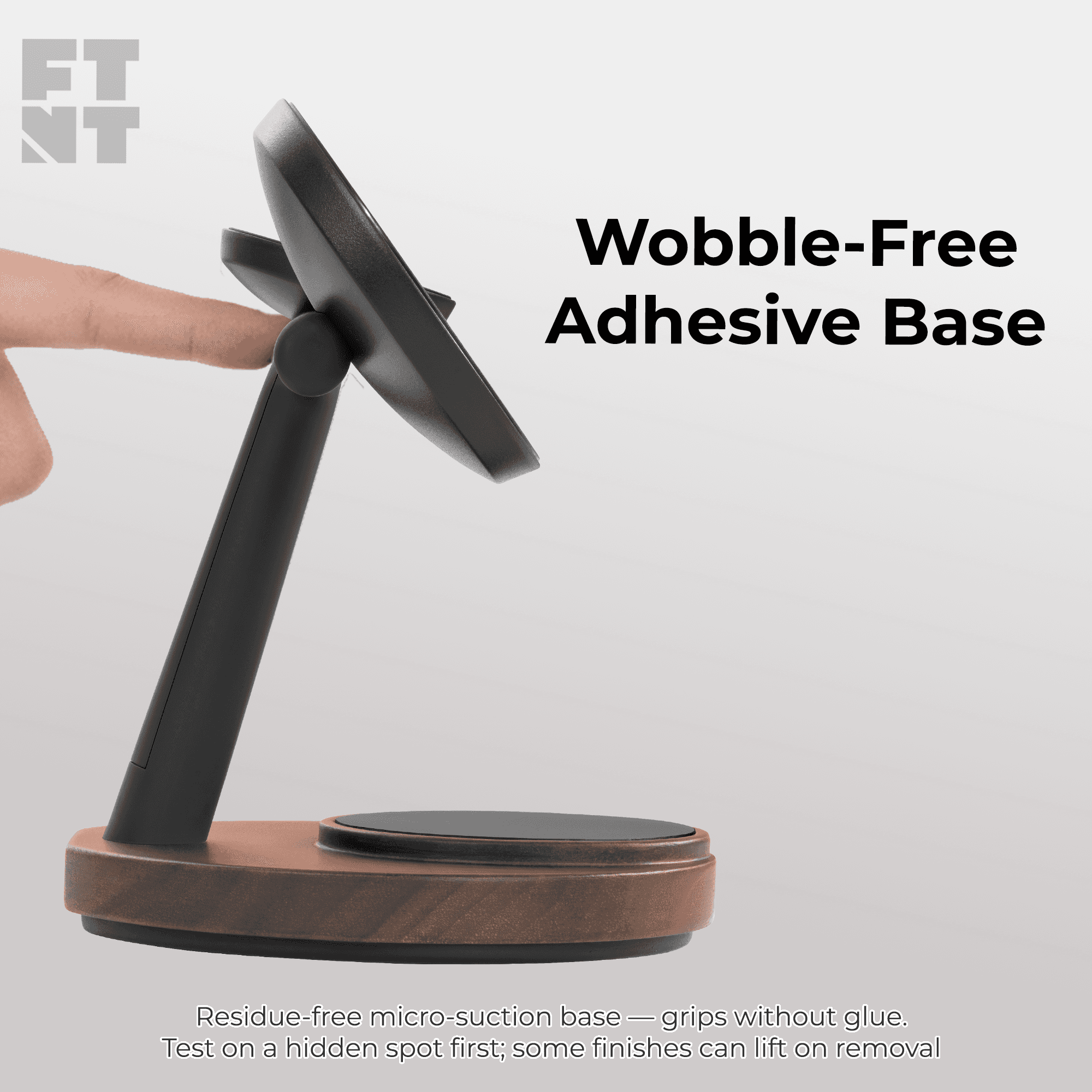
ZenStand is built for the nightstand.
It's a 3-in-1 in genuine walnut — dual MagSafe-compatible pads plus an Apple Watch charger in the centre, so your phone, earbuds and watch all land in one place at the end of the day. Every unit's grain is different; no two are the same. The base is fanless and completely LED-free, which is the whole point of a bedside charger and something a surprising number of them get wrong. No fan whine at 2am. Nothing glowing across the room.
If your phone has started creeping down its stand, tipping forward when you tap it, or coming off in your hand along with the charging head — it's one of five things. Four are predictable from the design before you buy.
1. The adhesive joint let go. Specifically: adhesive in the load path — the bond holding the charging head to the arm, or the arm to the base. Wireless charging produces heat exactly where that joint sits, and adhesive doesn't fail all at once. It creeps, the head tilts a few degrees, then it separates.
2. The magnet array was always marginal. Magnets don't weaken from charging heat — that threshold is far above anything on your nightstand. But arrays vary hugely in count, grade, and alignment. A weak one holds a bare phone fine while sitting at the edge of its capability the whole time. Tell: holds bare, slips with the case on. Look for: a published pull force or magnet count, not "strong magnets."
3. Your phone got heavier. A Pro Max in a thick case can be half again the load of the base model it held before. A wallet or grip ring also moves the center of mass off the magnetic plane, multiplying leverage on the joint. Tell: started right after a phone, case, or accessory change. Look for: a weight rating quoted with a case on, not for a bare phone.
4. Your case is the problem. A case with no magnet ring forces the stand to reach through the material to the phone's own ring, and magnetic force drops off sharply with distance. Metal plates and metallic paint make it worse. Tell: secure with no case, slides with it. Fix: replace the case. A new stand won't fix this and you'll own two.
5. The hinge wore out. Friction hinges lose resistance with every adjustment until they fold under load. Tell: the angle drifts on its own, rather than the phone sliding off the magnets. Look for: if you never change the angle, a fixed-angle stand deletes this failure mode.
Not a stand problem: underpowered adapter. Nearly every wireless charger has a minimum input it needs to hit its rated output, and most don't ship with one. Run a stand off a spare 5W or 12W brick from an old device and it will underperform its spec no matter how good it is — then you'll blame the stand. Check what your charger requires on the input side before you replace anything. It's the cheapest possible fix and often the only one needed.
Worth knowing what you're optimizing for, too. A desk charger and a nightstand charger are different products solving different problems. At a desk you care about grabbing a quick top-up between meetings. On a nightstand you have all night, so the things that actually matter are whether it's silent and whether it lights up your room — which is where a lot of otherwise good stands fall down.
Five questions before you buy
Glued, or mechanically fastened?
Weight rating stated — tested with a case on?
Magnet array specified, or just "strong"?
Enough base mass to pull the phone off one-handed without lifting the stand?
If it adjusts, do you need it to?
Where ZenStand lands
ZenStand is built for the nightstand.
It's a 3-in-1 in genuine walnut — dual MagSafe-compatible pads plus an Apple Watch charger in the centre, so your phone, earbuds and watch all land in one place at the end of the day. Every unit's grain is different; no two are the same. The base is fanless and completely LED-free, which is the whole point of a bedside charger and something a surprising number of them get wrong. No fan whine at 2am. Nothing glowing across the room.
Related Articles
Check out our full product line
Check out our full product line

🇨🇦 A Canadian Company
© 2026 Futura Gear Inc. FTNT, the illustrated FTNT logo, and Footnote Accessories Co. are trademarks of Futura Gear Inc. All rights reserved.
© 2026 Futura Gear Inc. FTNT, the illustrated FTNT logo, and Footnote Accessories Co. are trademarks of Futura Gear Inc. All rights reserved.
🇨🇦 A Canadian Company